Relay · Radio & Dispatch Bridge
Resgrid Relay
Connect the equipment you already have to Resgrid. Relay turns CAD and paging email into calls, bridges two-way and LTE push-to-talk radios to Resgrid PTT, records PTT channels, tones out new calls, and turns paging tones into calls — from a Windows desktop app, or headless on Linux, macOS, and Docker.
Get Resgrid Relay
Free and open source (Apache 2.0). Self-contained builds for Windows 10/11 (desktop app), Windows, Linux, and macOS (console), plus a Docker image. No .NET install needed.
Connect What You Already Have
Relay is the link between Resgrid and the systems a department already runs: dispatch email, two-way and LTE push-to-talk radios, scanners, and paging tones.
Dispatch Email to Calls
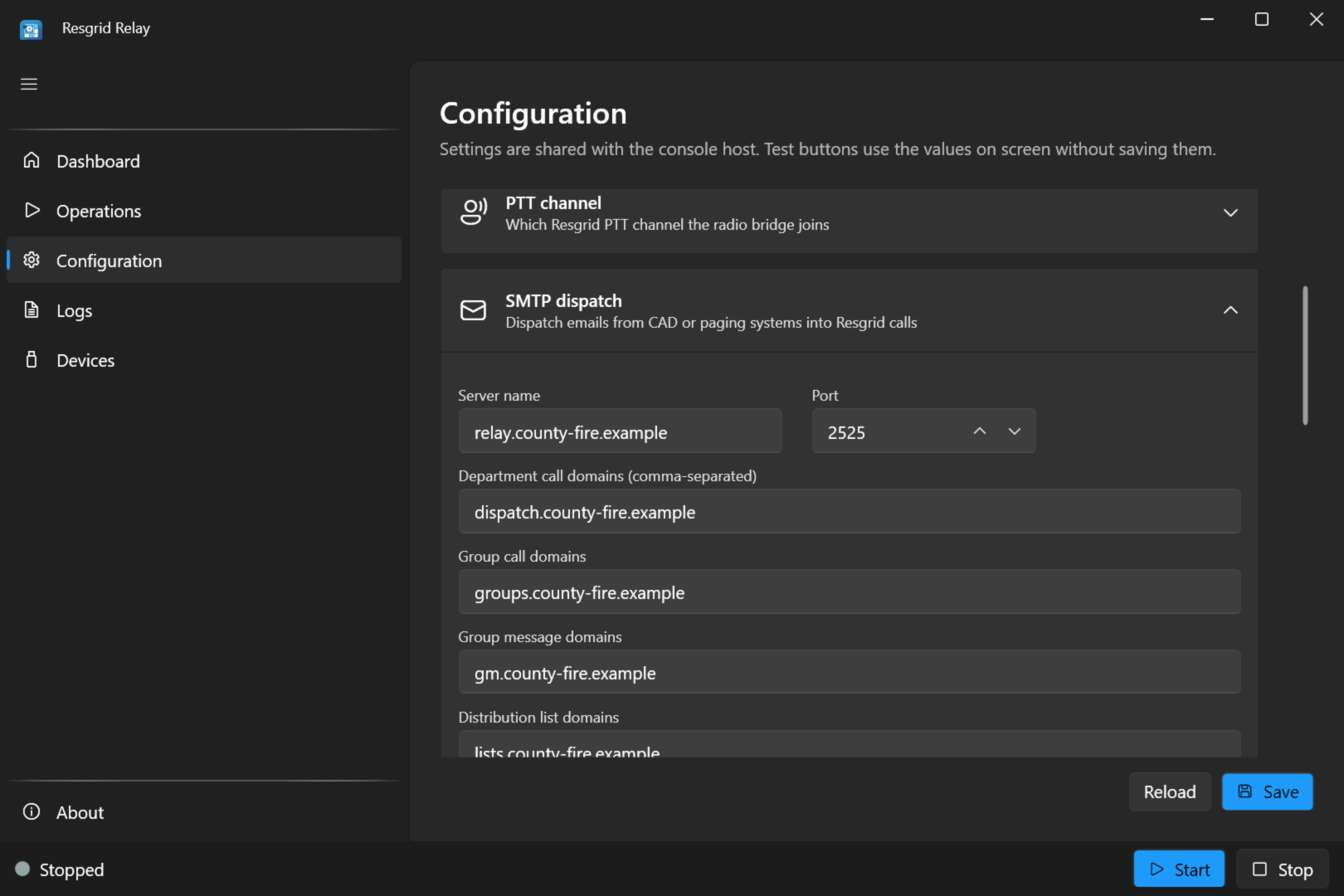
A built-in mail server turns dispatch email from your CAD, alarm panels, or paging gateways into Resgrid calls for the whole department or a single group, and into group messages.
Two-Way Radio to PTT
Cable a radio to a Windows PC and Relay bridges it to a Resgrid push-to-talk channel in both directions, so radio users and Responder, Unit, and Dispatch PTT users hear each other.
LTE Push-to-Talk Radios
Join an LTE push-to-talk (PoC) talk group, such as Rapid Radios or Diga-Talk+, to Resgrid PTT by cabling one of that system's radios to the PC as a donor radio.
PTT Channel Recording
Save every transmission on one or all Resgrid PTT channels as a WAV file to disk and/or S3-compatible storage, with a log of who talked, on which channel, when, and for how long.
Tone-Out on PTT
Announce each new Resgrid call on a PTT channel: alert tones, then the call spoken by Resgrid's text-to-speech, so crews hear dispatches on their PTT apps the way they would on a radio.
Paging Tones to Calls
Listen to a scanner or radio on a sound card for two-tone and single-tone pages, and create a Resgrid call for the station or department with the dispatch audio attached.
Dispatch Email Becomes Resgrid Calls
Relay runs its own SMTP server for your dispatch domains. Point your CAD, alarm panel, or paging gateway at it, or point the domain's MX record at it, and each dispatch email becomes a Resgrid call routed by the address it was sent to: a department's dispatch code pages the whole department, and a group's dispatch code pages just that station or group.
- Department-wide calls, group calls, and group messages from the recipient address
- Dispatch codes are validated, so nobody can page a whole department by guessing an address
- The subject becomes the call name; run cards, maps, and PDFs are attached to the call
- Duplicate deliveries are ignored, and temporary failures are retried by the sender instead of lost
- One message addressed to several departments pages each of them
- Hosted mode serves many departments from a single relay
Put Your Radios on Resgrid Push-to-Talk
On Windows, Relay bridges a physical radio to a Resgrid PTT voice channel. Radio traffic (after squelch) goes to the channel, and Resgrid PTT users on the Responder, Unit, and Dispatch apps are heard on the radio, so members on handhelds and members on phones share one conversation.
- Analog VHF and UHF radios, through a sound card and a PTT interface
- Keys the radio with a CM108 USB interface (DMK URI, AIOC, RA-40, RIM-Lite) or serial RTS/DTR
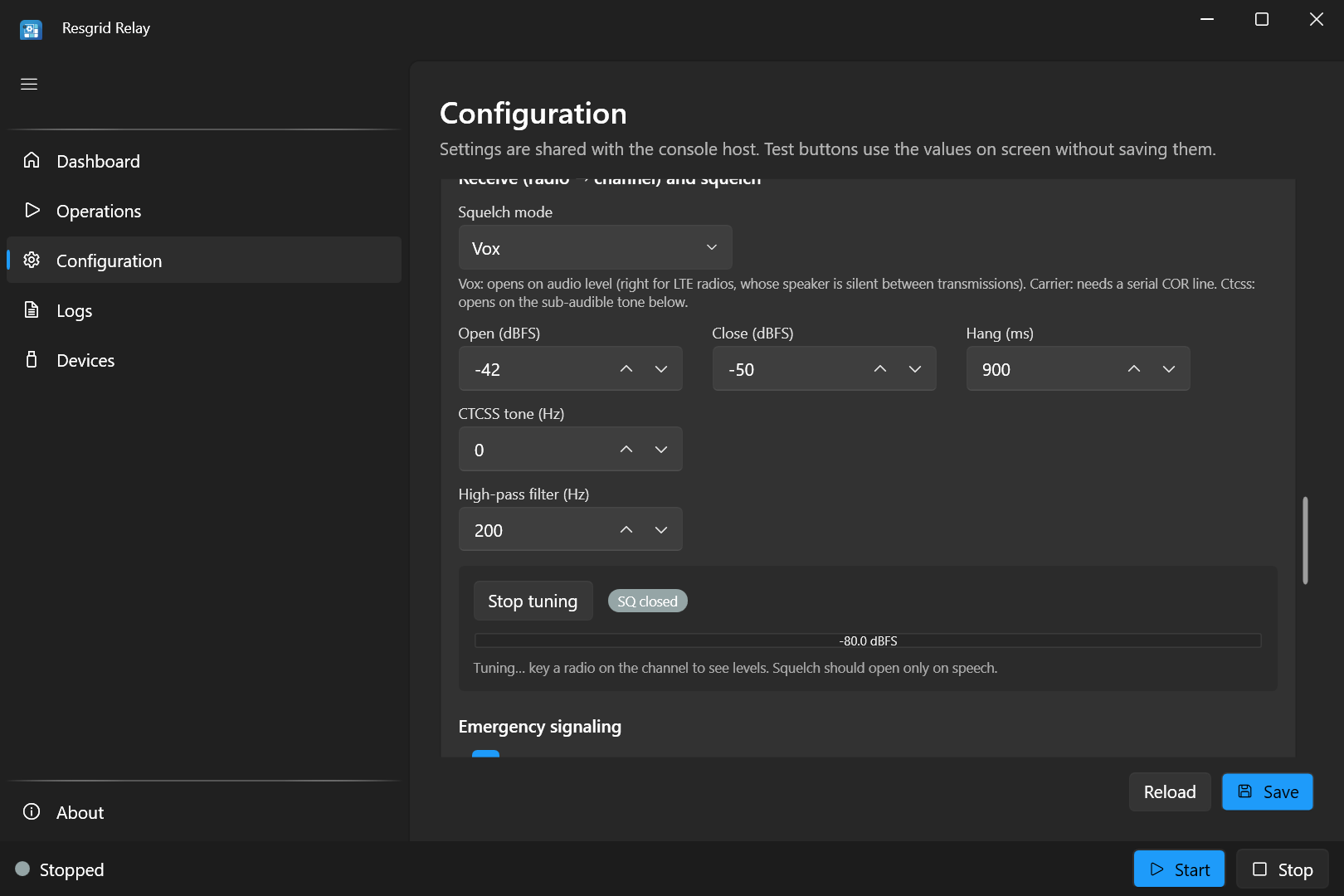
- VOX, carrier (COR), and CTCSS squelch, with key-up lead, hang, and tail timing
- Half-duplex anti-loop, one remote talker at a time, transmit time-out, and courtesy tone
- Live squelch Tune meter and Test transmit, which keys the radio and plays a tone
- Emergency-tone detection that creates a Resgrid call, and optional recording of both sides
LTE Push-to-Talk Radios, Joined to Resgrid
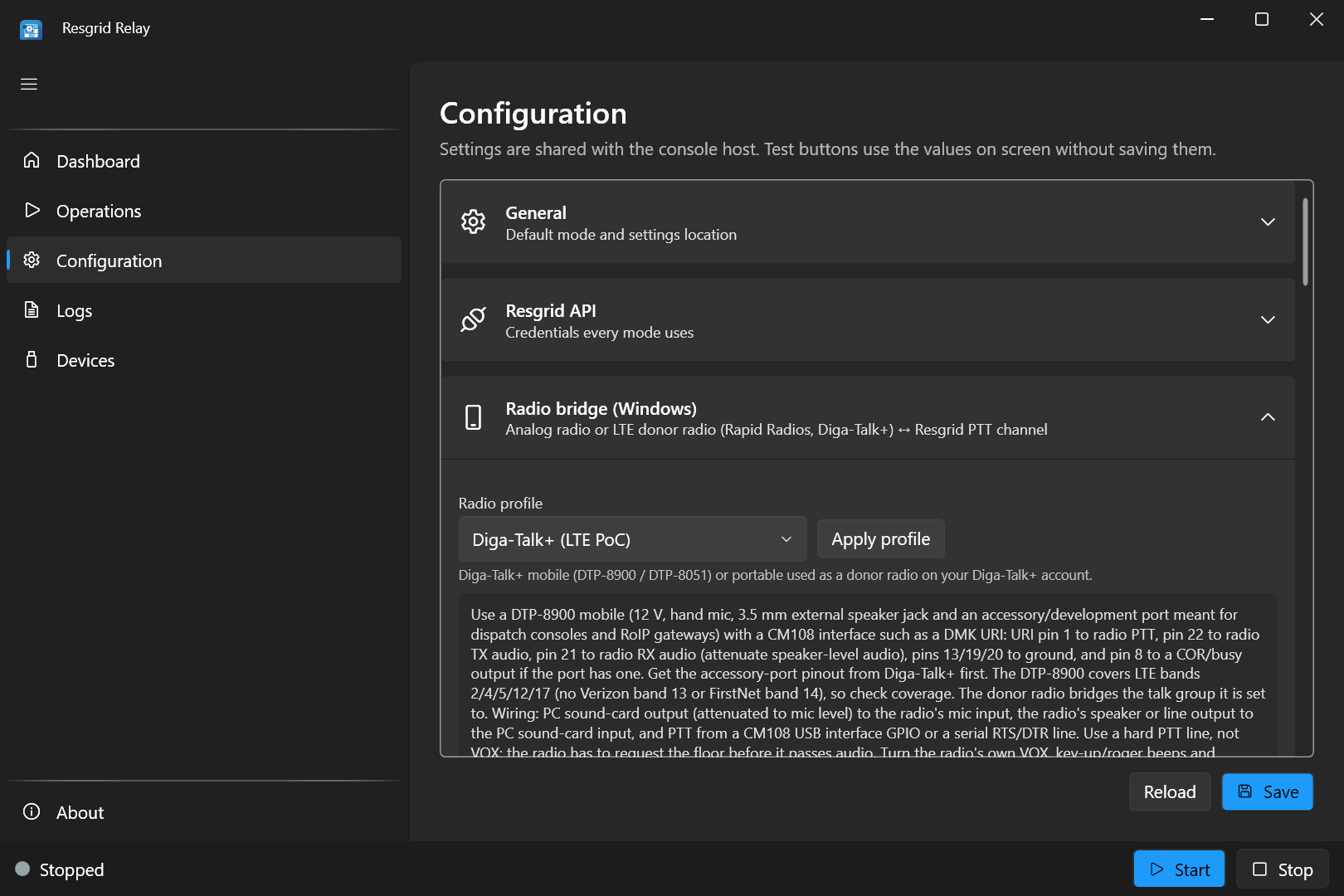
Cellular push-to-talk (PoC) systems such as Rapid Radios and Diga-Talk+ publish no API or radio-over-IP gateway for outside audio, so Relay bridges them the same way it bridges an analog radio: one of their radios, cabled to the PC as a donor radio, joins the talk group, and Relay bridges it to your Resgrid PTT channel. PoC users and Resgrid PTT users then hear each other.
- Radio profiles for analog, Rapid Radios, Diga-Talk+, and other LTE radios preset timing and squelch
- A key-up lead gives the PoC radio time to win the floor, so first words aren't clipped
- Keyed with a hard PTT line (CM108 GPIO or serial), not VOX
- The donor radio uses one radio, and its plan, on your PoC account
- Add one donor radio and interface for each talk group you want to bridge
Record Every Transmission
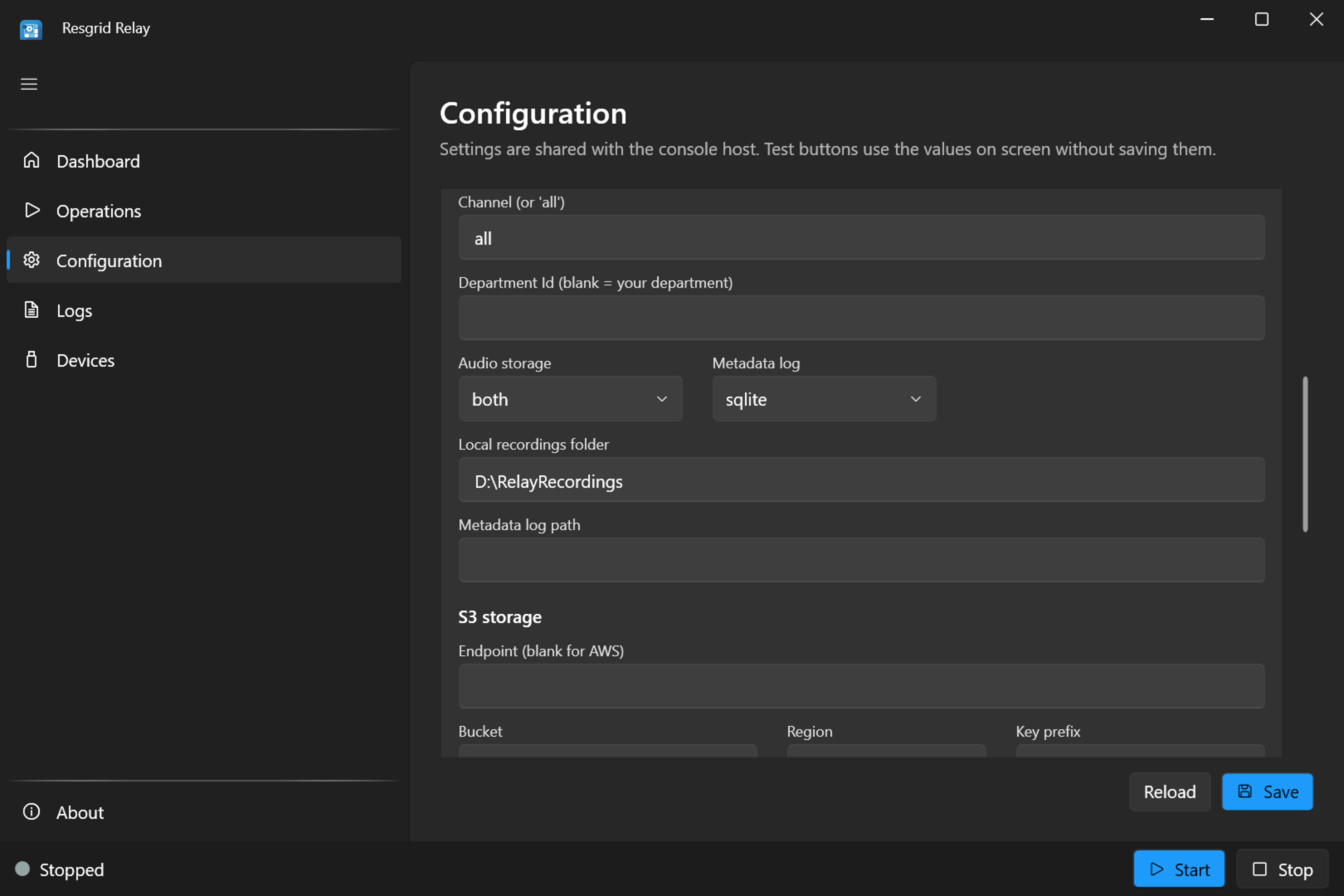
Relay joins one PTT channel, or all of them, and saves each transmission as its own WAV file, locally, to S3-compatible storage, or both, with a metadata log for compliance, training, and after-action review.
- Record a single channel or every channel in the department
- Store to a local folder, S3-compatible object storage, or both
- JSONL or SQLite log: who talked, on which channel, when, and for how long
- Runs on Windows, or headless on Linux, macOS, and Docker
- Each recorded channel uses one Push-To-Talk voice seat
Tone Out New Calls on Push-to-Talk
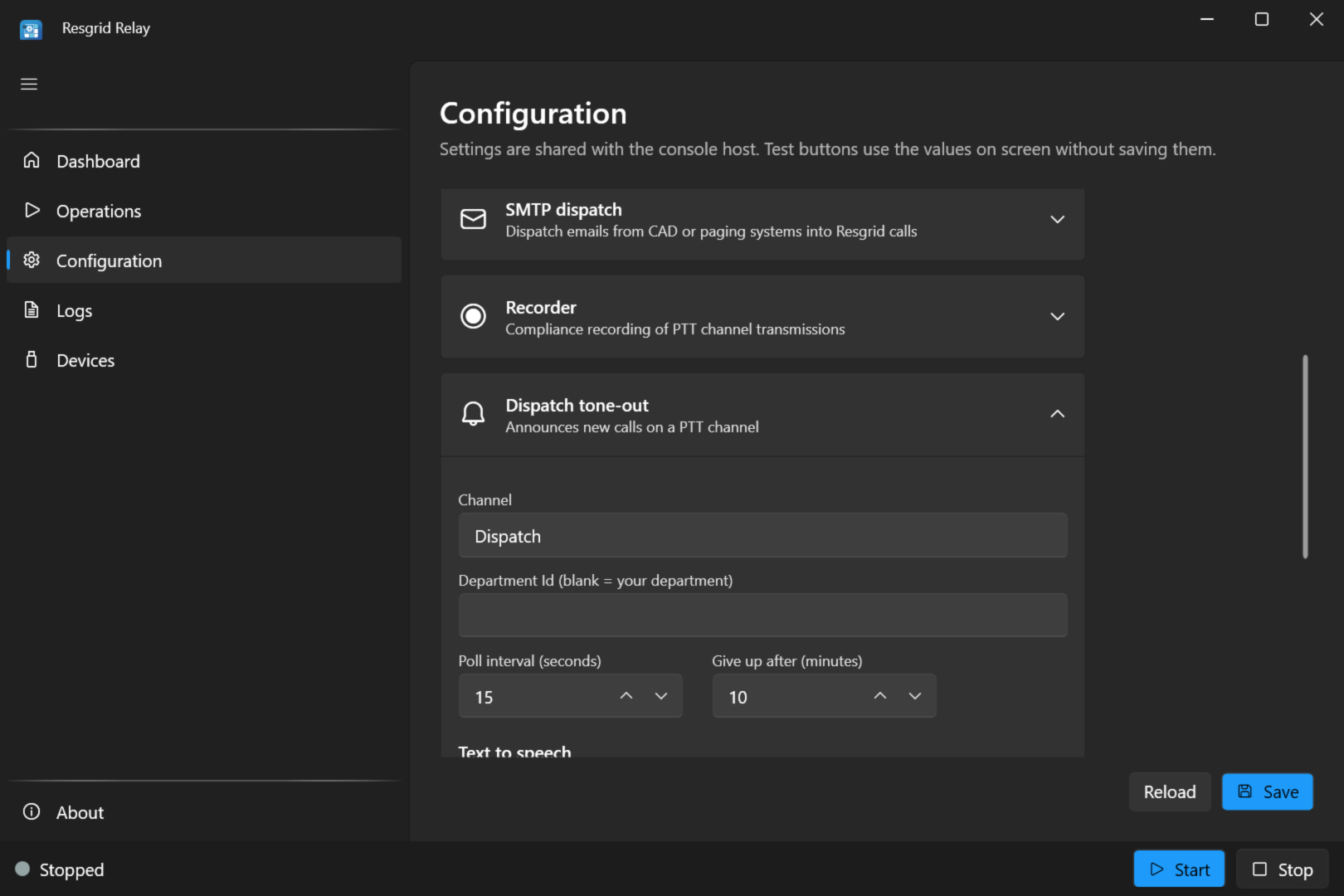
For crews who listen for dispatches the way they would on a radio, Relay announces each new Resgrid call on a PTT channel: an alert tone, then the call read aloud by Resgrid's text-to-speech, with the name, nature, address, and priority in your department's own priority names.
- Two-tone, hi-lo, or single alert tone before each announcement
- Spoken in Resgrid's own wording, reusing the speech Resgrid already generated
- Escalated calls are announced as a second alarm
- Scheduled calls are announced when they are dispatched
- Calls created while Relay was reconnecting are still announced, and failed tone-outs are retried
Turn Paging Tones Into Calls
Connect a scanner's or radio's audio output to a Windows PC's sound card and enter your tone frequencies. When a station is toned out, Relay records the dispatch audio and creates a Resgrid call with the recording attached, for the whole department or just that station's group.
- Two-tone and single-tone page detection, per station or department
- The recorded dispatch audio is attached to the call
- Stations toned while a recording is running can ride along on the same call
- Calls and audio uploads are retried on temporary failures without creating duplicates
- Runs on Windows with the audio fed into a sound-card input
A Windows App to Set It Up and Watch It Run
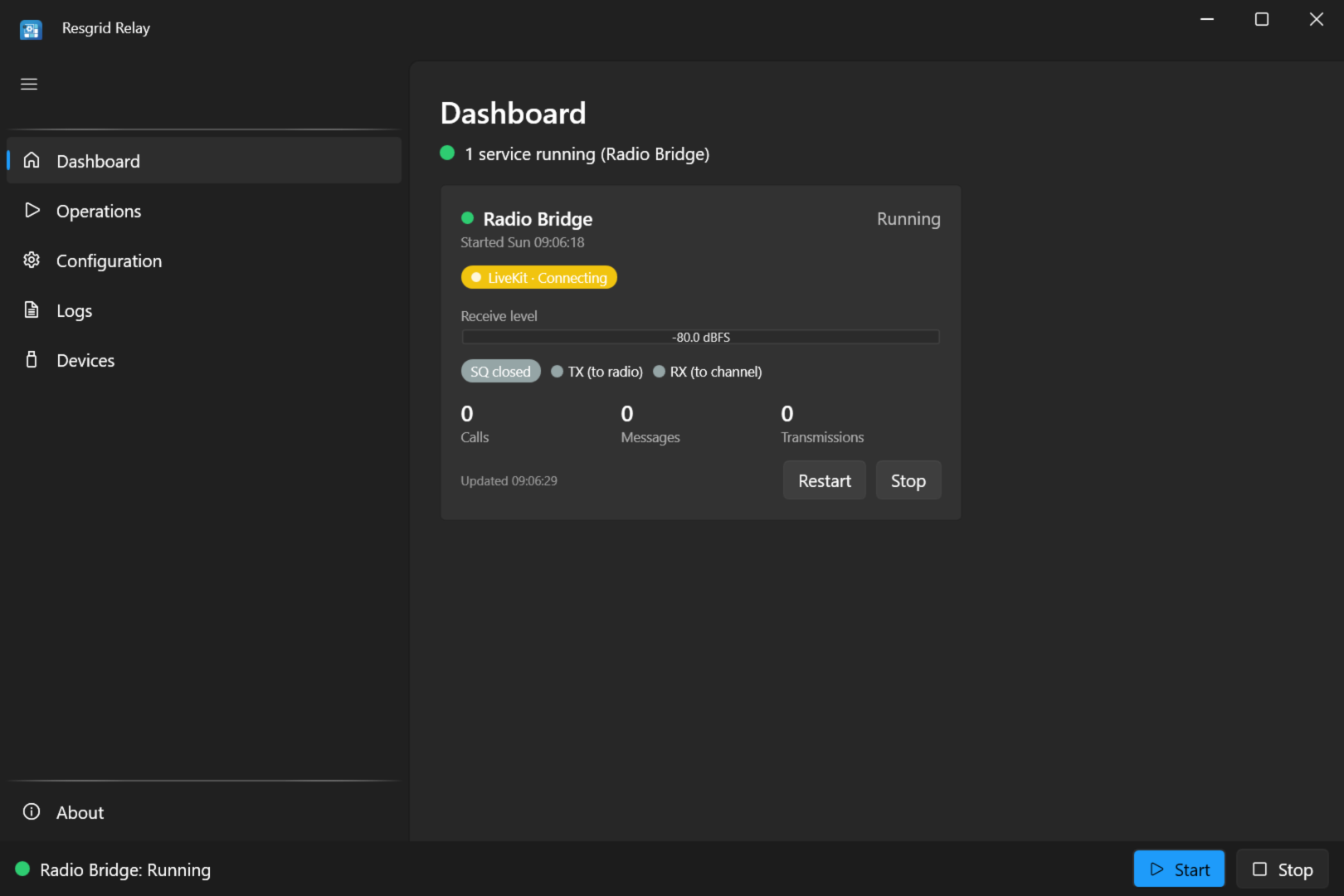
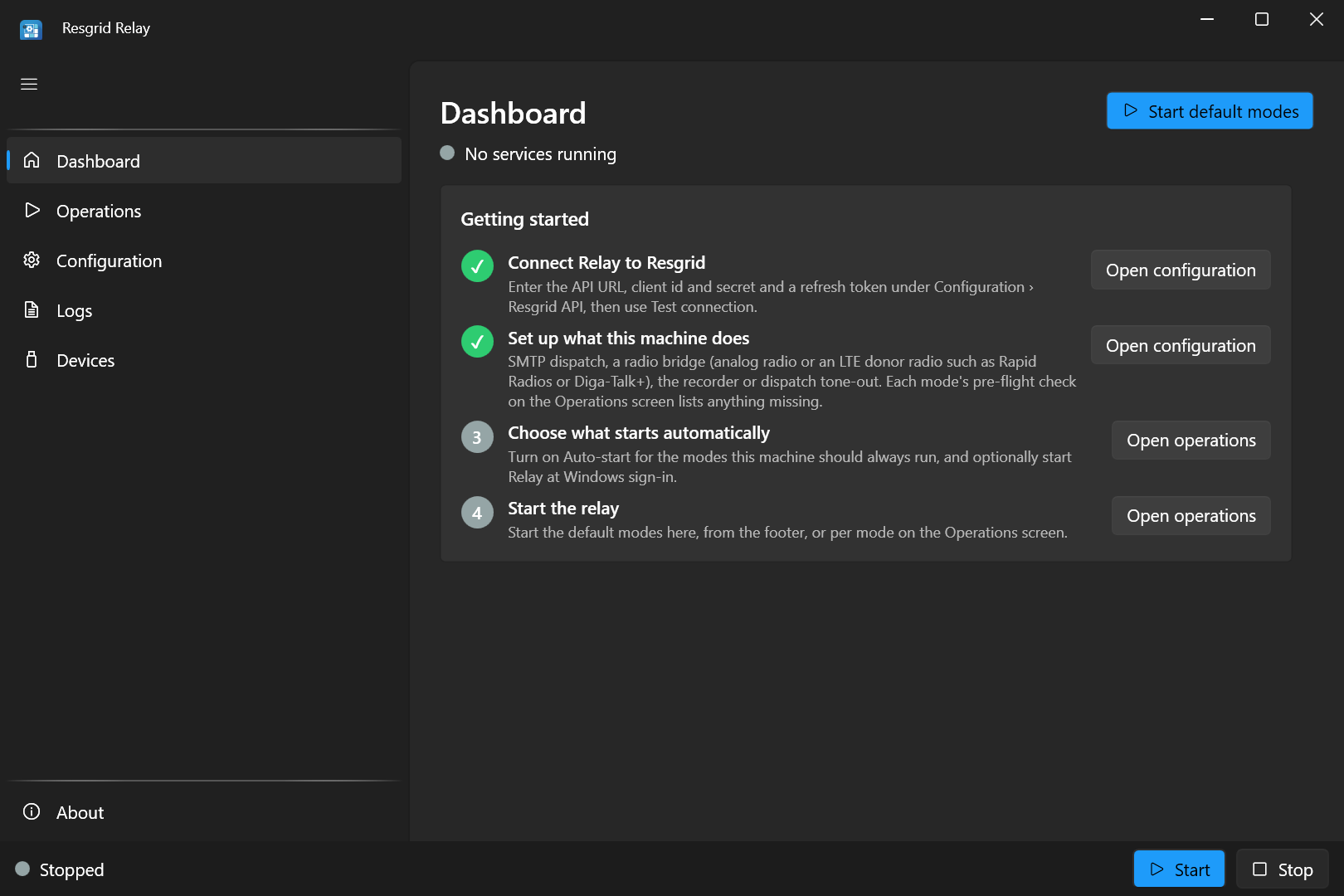
The Relay desktop app walks you through setup with a getting-started checklist, then shows a live tile for each running mode: connection status, receive level, squelch and TX/RX lamps for the radio bridge, call, message, and transmission counters, and the last fault.
- Getting-started checklist: connect to Resgrid, choose what this machine does, then start it
- Settings for every mode, with a Resgrid Test connection and device pickers by name
- Radio profiles, the live squelch Tune meter, and Test transmit, all using the values on screen before you save
- Live logs, plus device lists for audio, serial, and CM108 interfaces
- Several modes can run side by side on one PC
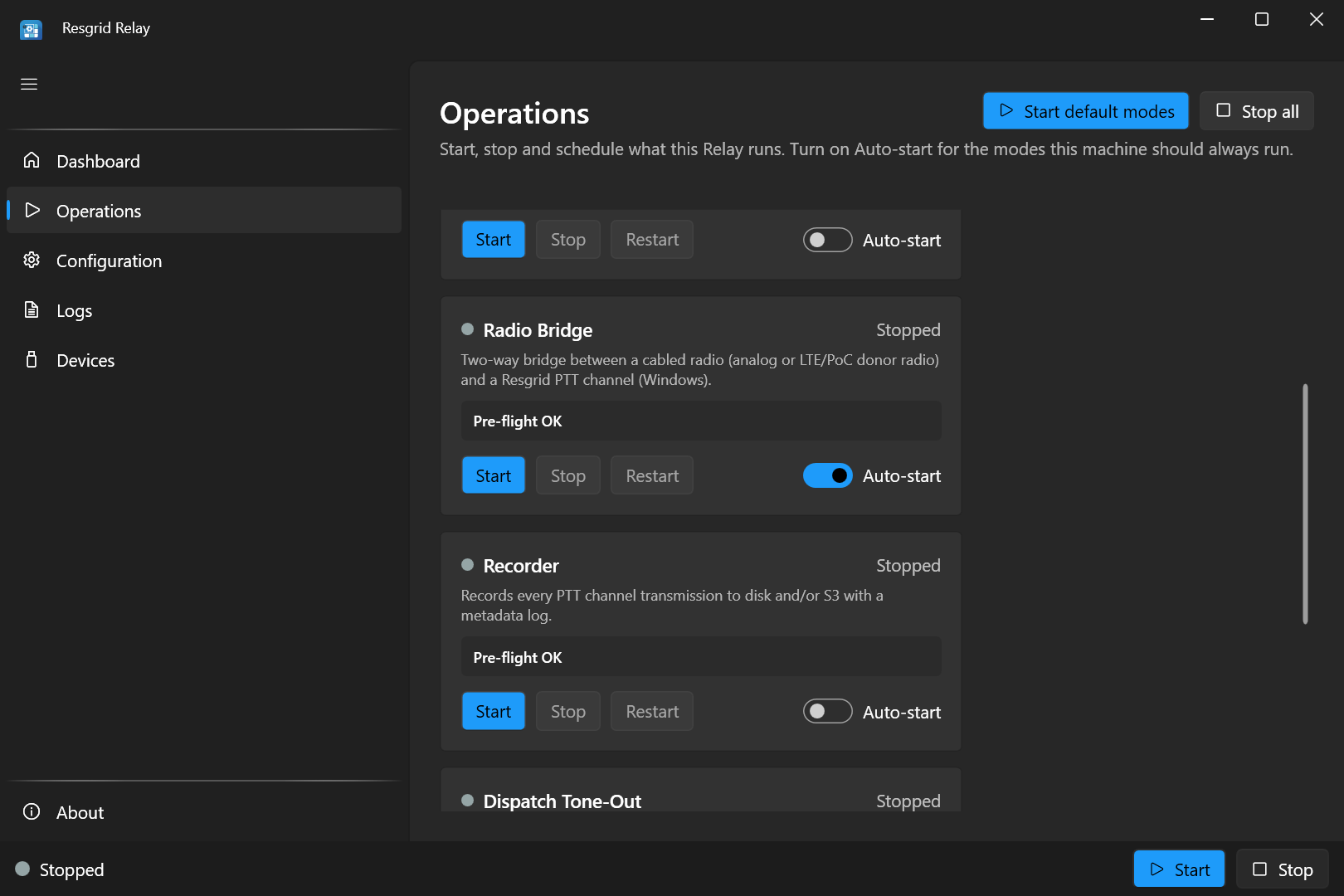
Starts on Its Own and Stays Out of the Way
Turn on Auto-start for the modes a machine should always run, and have Relay start at Windows sign-in, minimized to the tray. Closing the window keeps the relay running; the tray icon shows each mode's state and notifies you when a mode faults.
- Start, Stop, and Restart for each mode, with a pre-flight check
- Auto-start per mode when the app launches
- Start at Windows sign-in, minimized to the tray
- Close to the tray, with a notification when a mode faults
Headless on Windows, Linux, macOS, and Docker
For servers and equipment rooms, the console host runs a mode with no UI: on Windows for every mode, and on Linux, macOS, and Docker for email dispatch, recording, and tone-out. It reads the same settings file as the desktop app, so a relay set up on the desktop also runs from the console, and environment variables override settings in containers.
- Self-contained x64 and ARM64 builds, with no .NET install needed
- Docker image for Linux containers
- systemd unit included for Linux services
- Set it up in the desktop app, then run the same settings headless
- Secrets are masked in the UI and never written out from environment variables
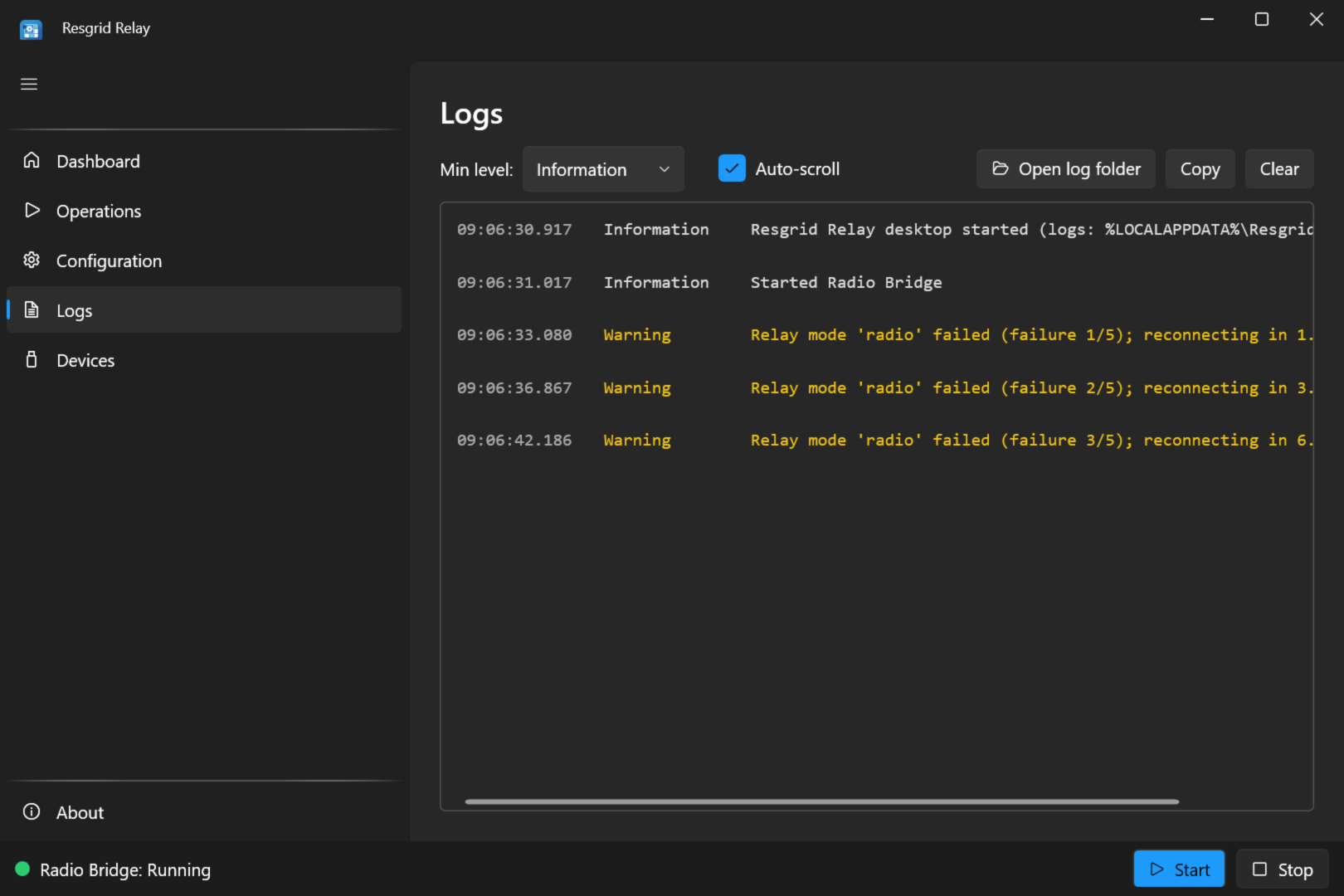
Built to Run Unattended
Relay is meant to sit in a station or a server rack and keep working. The voice modes reconnect on their own, a watchdog restarts the radio bridge when its audio interface stops or is unplugged, and a transmit time-out keeps a stuck talker from tying up the radio.
- Automatic reconnect with exponential back-off for the voice modes
- The radio bridge recovers from a USB interface being unplugged or a dropped connection
- Transmit time-out cuts off a channel talker after a set time (180 seconds by default)
- Email that fails for a reason that may clear up is answered with a retry code, so the sender tries again
- Logs on screen and in rolling log files kept for 14 days
Who Relay Is For
Any team that already has dispatch email, radios, or paging tones and wants them in Resgrid, without replacing what works today.
Fire Departments
The county CAD already emails each page. Point it at Relay and every page becomes a Resgrid call on members' phones, with the run card attached.
EMS
Still dispatched by tones on the county channel? Relay hears the station's tones on a scanner and creates the Resgrid call with the dispatch audio attached.
Search & Rescue
Field teams carry VHF handhelds while coordinators use Resgrid PTT. A base radio bridged by Relay puts both on one conversation.
Emergency Management
An EOC records every transmission on its Resgrid PTT channels to S3 storage, with a log of who talked and when, for the after-action report.
Industrial ERT
A plant team works on LTE push-to-talk radios. A donor radio on their talk group, bridged by Relay, lets off-site responders on Resgrid PTT hear and answer.
Security Teams
An alarm panel that sends email on an alarm reaches Relay, which turns it into a Resgrid call for the patrol group.
CERT
When a team leader creates a call in Resgrid, Relay tones it out on the team's PTT channel, so members listening in their Resgrid apps hear it like a radio page.
Dispatch Centers
A center that already emails its agencies runs one Relay in hosted mode to serve many Resgrid departments by their dispatch codes.
What You Need
The radio and paging-tone features use the PC's sound card, so they run on Windows. Email dispatch, recording, and tone-out also run headless on Linux, macOS, and Docker.
Feature | Windows 10/11 | Linux, macOS, Docker |
|---|---|---|
Desktop app (set up, monitor, and manage) | Yes | No |
Dispatch email to calls and messages | Yes | Yes |
Two-way radio and LTE donor radio bridge | Yes | No |
PTT channel recording | Yes | Yes |
Tone-out of new calls on PTT | Yes | Yes |
Paging-tone detection to calls | Yes | No |
- A Resgrid department for Relay to connect to.
- The Push-To-Talk add-on for the voice features: the radio bridge, PTT recording, and tone-out. Each bridged radio, recorded channel, or tone-out connection uses one voice seat, and the voice features sign in as a Resgrid user.
- For the radio bridge: a Windows PC with a sound card and a PTT interface (CM108 USB or serial) cabled to your radio, or to an LTE donor radio.
- For paging tones: a scanner's or radio's audio output fed into a Windows PC's sound card.
- For email dispatch: a machine your CAD or paging system can send mail to, by pointing your dispatch domain's MX record at it or relaying to it.
Relay connects radios through their audio and PTT lines and connects LTE push-to-talk systems through a cabled donor radio. It is not a P25 or FirstNet interface, and it is not a replacement for a licensed public-safety radio system where one is required.
Works With the Gear You Already Run
Relay uses the connections your equipment already has (email, audio, and a PTT line) and feeds the same calls and PTT channels the rest of Resgrid uses.
CAD Email
Alarm Panels
Analog Radios
LTE PoC Radios
Scanners
S3 Storage
Windows
Linux
macOS
Docker
Relay Documentation
Step-by-step guides for installing Relay and setting up each mode, including wiring a radio or an LTE donor radio.