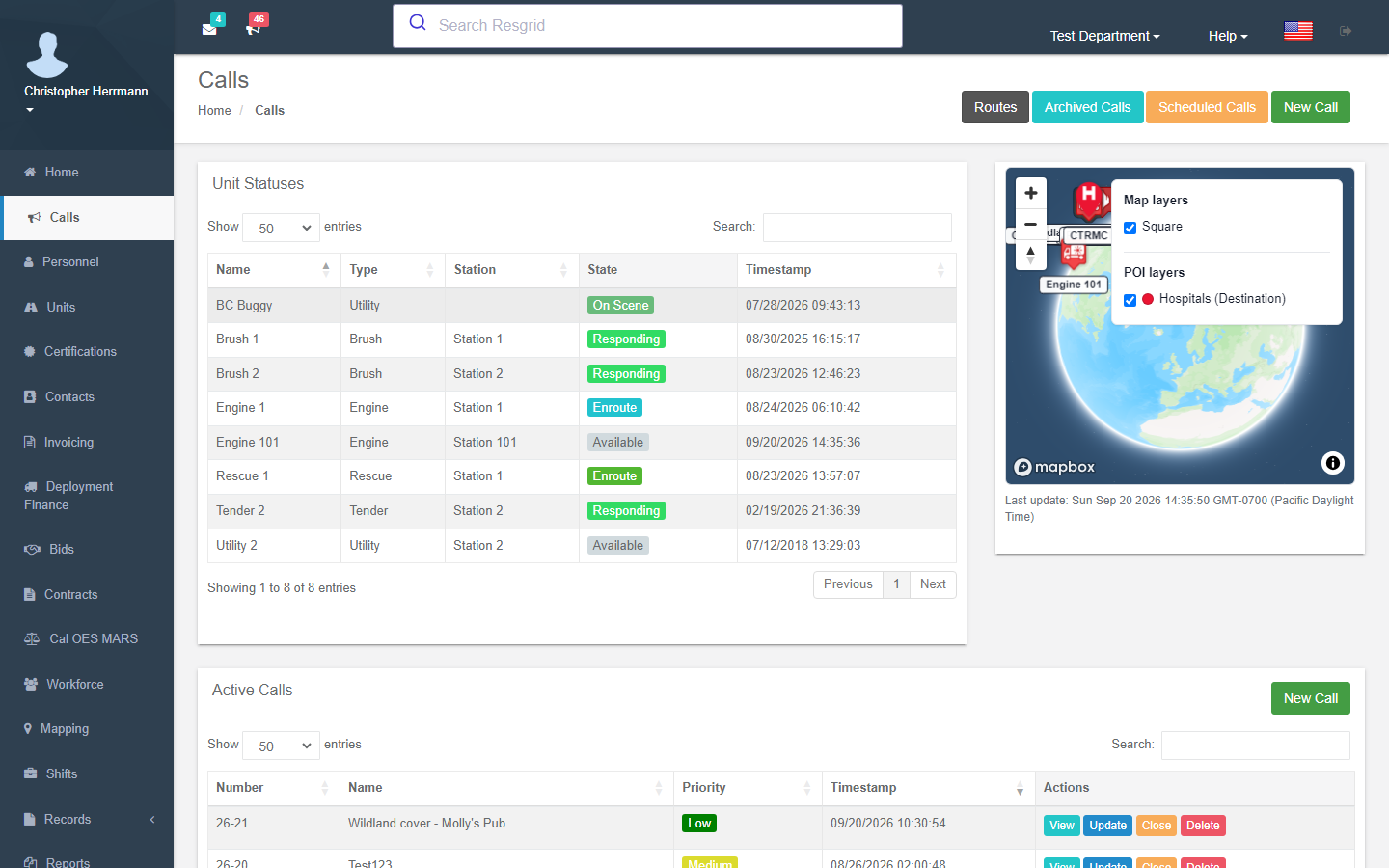
Complete Dispatch Operations
Everything you need to create, manage, and close incidents — from initial call intake to after-action reporting.
Full Call Lifecycle
Create, dispatch, update, close, re-open, and archive calls. Every stage is tracked with timestamps, actors, and full audit trail. Soft-delete support ensures nothing is ever truly lost.
Multi-Channel Broadcast
Dispatched personnel receive push notifications, SMS, and email simultaneously through an async queue. Rebroadcast at any time if the incident changes priority or scope.
Smart Location Handling
Enter an address, GPS coordinates, or a What3Words code. The system geocodes, reverse-geocodes, and calculates ETAs from every unit and responder automatically.
Flexible Dispatch Targets
Dispatch to individuals, entire station groups, personnel roles, or specific units — all in the same call. Shift-based dispatch can auto-substitute on-duty personnel.
Export & Reporting
Export call details as PDF or HTML, including work logs, unit states, action logs, and linked calls. Anonymous export links let you share with external partners securely.
Analytics Dashboard
Year-to-date calls by week, calls by type, and calls by state — all filterable by date range. Gain operational insight without third-party BI tools.
Dispatcher Desk Routing
Pending and scheduled calls, texts, phone calls, email and chat are offered to one free on-duty dispatcher at a time to accept or decline, and wait in a shared queue when nobody is free.
Overflow When Everyone Is Busy
Waiting work escalates to every dispatcher on duty. Live texts and calls can go to Enhanced AI to become a pending call, so nothing is dropped and a dispatcher still decides.
Emailed Dispatch Modes
Choose what an emailed dispatch becomes: dispatched at once as it is today, held as a pending call for a dispatcher to review, or read by Enhanced AI into a pending call.
Call Creation & Dispatch
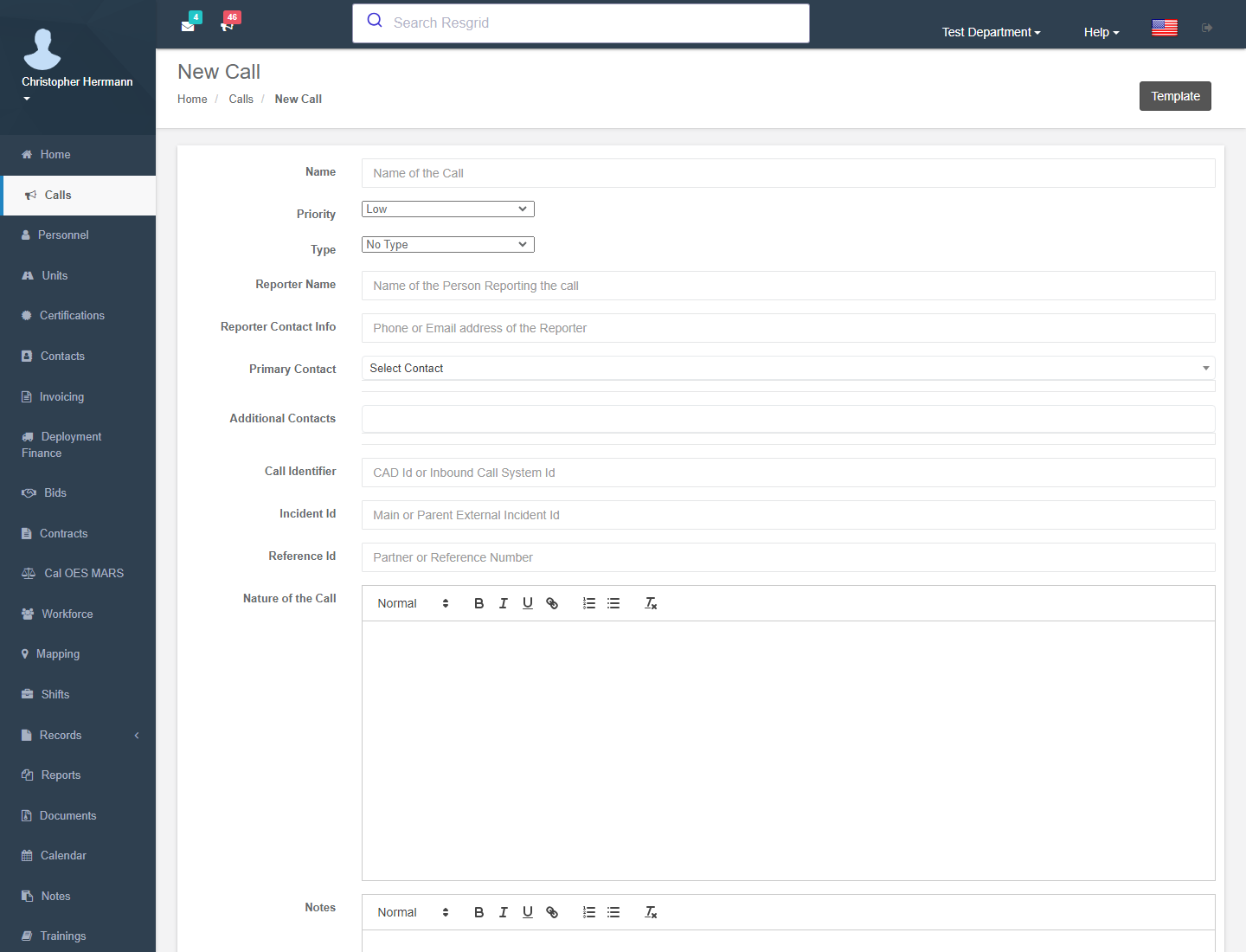
Create calls with names, nature descriptions, types, priorities, addresses, and notes. Attach dispatch protocols, custom forms, linked calls, and contacts. When you save, the async broadcast pipeline fires push, SMS, and email to every dispatched responder.
- Custom call types and priority levels with color coding
- Dispatch to personnel, groups, roles, and units simultaneously
- Shift-based dispatch swaps group members for on-duty shift personnel
- Auto-set responder status on dispatch (configurable)
- Attach dispatch protocols with automatic trigger matching
- Quick-fill from call templates for recurring incident types
Call Management & Updates
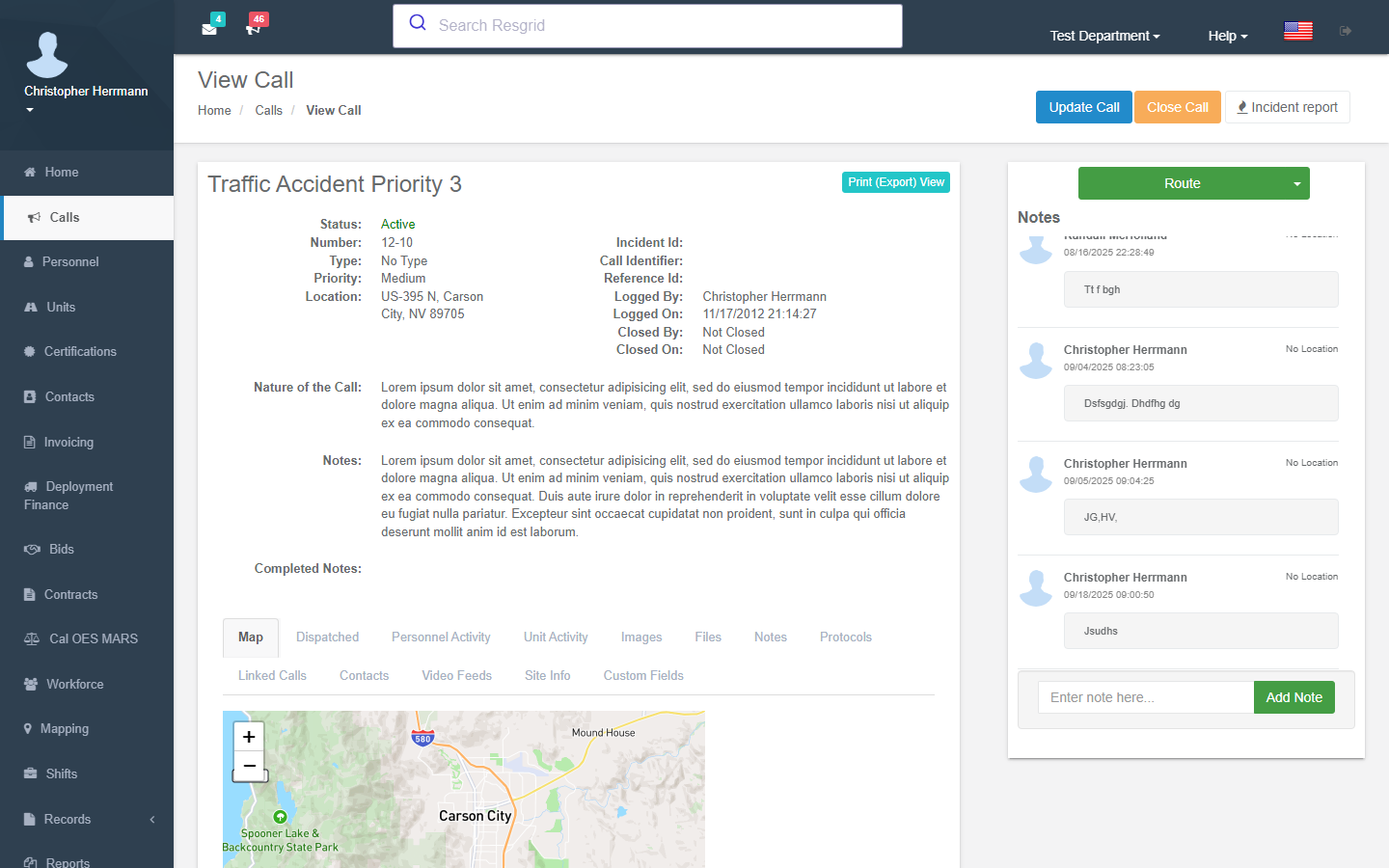
Update any aspect of an active call — details, dispatch targets, location, or protocols. Diff-based dispatch ensures only changes are applied. Add timestamped notes from the field with location data, flag important notes, and attach files up to 10 MB.
- Modify dispatch targets with diff-based add/remove
- Rebroadcast notifications after critical updates
- Timestamped call notes with GPS location and source tracking
- Flag and unflag notes with reason codes
- File attachments: images, documents, audio, and video
- Close with custom states (Cancelled, Completed, etc.)
Archived & Historical Calls
Access closed calls by year, re-open incidents if needed, and create archived calls retroactively for historical data import. Every call maintains a complete timeline of events from creation to closure.
- Browse archived calls filtered by year
- Re-open previously closed calls with full event trail
- Create backdated archived calls for historical import
- Custom call number recalculation by year
- Dispatch audio playback for calls with audio attachments
- Built-in real-time chat within the dispatch area
Dispatcher Desk: Routing & Overflow
Turn on the dispatcher desk and incoming work finds a free dispatcher instead of waiting for someone to notice it. Dispatchers on duty sign in from the Resgrid Dispatch app on a phone, tablet or computer, and each pending call, scheduled call, text, phone call, email or chat is offered to one of them at a time. When everyone is busy, work waits in a shared queue, escalates, or overflows to Enhanced AI.
- One offer at a time to the least-loaded free dispatcher (45-second offer by default)
- Shared queue any on-duty dispatcher can take from; escalates after 3 minutes by default
- Scheduled calls come to the desk for review before they go out
- Held callers: the desk rings the dispatcher's own phone, press 1 to connect
- Overflow: texts and calls become pending calls, filled in by Enhanced AI if you have it
- Emailed dispatches: dispatch at once, hold as pending, or have Enhanced AI read them
- Included in every plan; Enhanced AI overflow uses the Enhanced AI add-on
Works With Your Entire Stack
Dispatching connects to every module in Resgrid and can trigger workflows for external integrations.
Push Notifications
SMS / Text
What3Words
Protocols
Custom Forms
REST API
Workflows